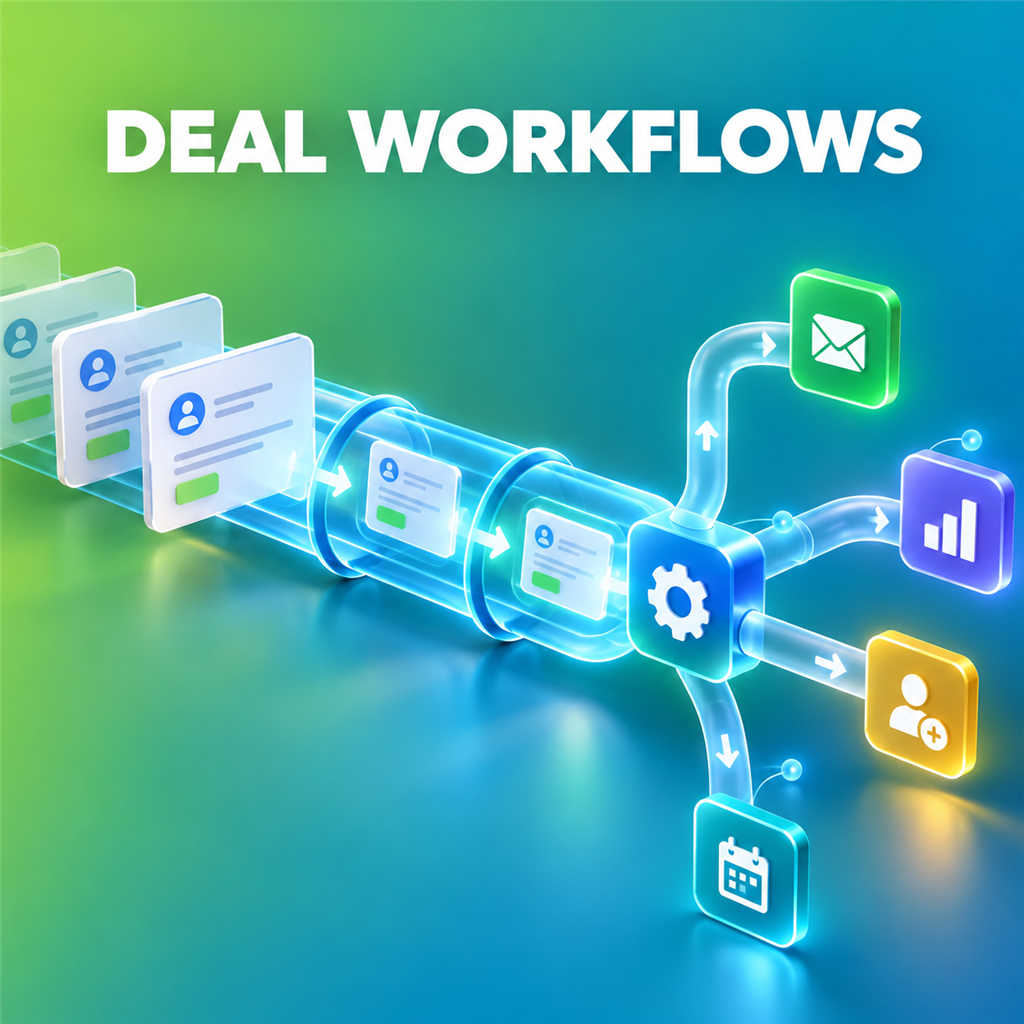

Most sales teams do not have an AI problem. They have a workflow problem. Their prospect data lives in one tool, account research in another, outreach in a third, and their best ideas are trapped in prompts that never become repeatable processes. Amplemarket’s connection with conversational AI tools offers a more useful model: ask for the outcome in natural language, let the system work with live sales context, and keep a human in control of the final decision.
This guide explains how Amplemarket can be used with ChatGPT and Claude to support practical sales prospecting workflows. It is written for founders, sales development representatives, account executives and revenue operations teams that want to spend less time moving data between tabs and more time starting relevant conversations. It also includes a framework for deciding which workflows to automate first, how to protect quality, and how to measure whether the change is actually creating pipeline.
What is the Amplemarket MCP connection?
MCP stands for Model Context Protocol. In practical terms, it provides a structured way for an AI assistant to work with approved tools and business data instead of relying only on information pasted into a chat. Amplemarket describes its MCP integration as a way to use Amplemarket capabilities from tools such as ChatGPT and Claude. Depending on the permissions and configuration available to your team, this can make it possible to search for prospects, enrich contacts, inspect activity, build lead lists and work with outbound information through a conversational interface.
The important distinction is context. A generic AI prompt can draft a plausible email, but it does not automatically know your ideal customer profile, target account, contact data, previous activity or the signal that made a prospect relevant today. A connected workflow can use authorised sales context to support the task. That does not remove the need for judgement; it gives the person making the decision better inputs and a faster route from question to action.
If you want to explore the platform for your own team, you can discover Amplemarket here. Product availability, plan requirements and individual integrations can change, so confirm the current setup and permissions during your evaluation.
Why conversational sales workflows matter
Traditional sales technology often forces the seller to learn the software’s structure before the software can help. A rep may need to define filters, export a list, open a research tab, update a spreadsheet, create a sequence and then repeat the process for the next territory. Each step is manageable, but the hand-offs create delay and encourage shortcuts. The final message can become less relevant because the rep has spent most of their energy assembling the ingredients.
A conversational workflow reverses that relationship. The seller starts by describing the business outcome: find sales leaders at companies that match a set of conditions, research why each account may care, identify the most credible buying signal, and prepare a reviewable outreach plan. The AI assistant translates that intent into tool-supported steps. The seller can then question, narrow, reject or approve the results.
This approach is particularly useful when a task has several stages but a clear human decision at the end. Prospect research, meeting preparation, territory analysis and lead-list creation fit that pattern. Fully autonomous mass outreach is much riskier because a small error can be multiplied across hundreds of recipients before anyone notices. The strongest operating model is usually automation for gathering and organising evidence, combined with human review for positioning, tone and sending.
Workflow 1: build a prospect list from a real-world trigger
Static prospecting begins with a database filter. Signal-led prospecting begins with a reason to look. The trigger could be a funding announcement, a leadership change, attendance at an industry event, a new market launch, a relevant podcast appearance, a competitor review, website engagement or another event that plausibly changes buying readiness.
A useful prompt does more than ask for “good leads”. It defines the source, selection logic, buyer role and output standard. For example: identify the latest companies associated with a named event; keep only B2B software companies in a defined employee range; find the most relevant revenue leader; and explain the evidence behind each choice. This gives the assistant a testable job rather than an invitation to guess.
Review the resulting list before using it. Check whether the accounts genuinely match your ideal customer profile, whether the contact owns the problem you solve, whether the triggering event is current, and whether the evidence supports outreach now. A short list with clear reasons is more valuable than a large list whose only qualification is a job title.
A reusable prompt structure
Use a structure such as: “Find [buyer roles] at [type of account] associated with [current trigger]. Apply these qualification rules: [industry, geography, size and exclusions]. For each person, show the source, explain why the account fits, identify the strongest outreach angle, and flag any missing information. Do not add anyone who fails a required rule.”
The exclusions matter. If agencies, existing customers, very small companies or specific territories are not relevant, say so. Clear negative criteria reduce the amount of cleanup and make the final list easier to trust.
Workflow 2: turn a buying signal into a personalised sequence
Personalisation is not the act of inserting a first name or mentioning a company’s latest blog post. Useful personalisation connects a verified fact to a credible business problem and a relevant next step. The signal is the opening, not the entire argument.
Start by asking the assistant to separate evidence from inference. Evidence may include a job change, public announcement, technology change, past CRM activity or engagement event. Inference is the possible commercial implication. Keeping those categories visible helps a rep avoid presenting assumptions as facts.
Next, request a multichannel plan rather than five versions of the same email. Email, LinkedIn and calling have different strengths. A concise connection message should not be a compressed sales letter. A call opener should help the rep earn a conversation, not force them to recite a paragraph. Ask the assistant to assign one purpose to each touch and avoid repeating the same claim.
Finally, retain an approval step. The rep should confirm that the signal is accurate, the problem is plausible, the message sounds like the sender and the call to action is proportionate. A low-friction question such as whether the issue is currently a priority is often more credible than an immediate request for a long demo.
Workflow 3: prepare for a sales call in minutes
Pre-call research is one of the clearest uses of connected AI because the output is consumed by a person before the meeting. The goal is not to create an encyclopaedia about the account. It is to give the seller a brief that improves the next conversation.
A strong briefing request should cover the company’s business model, relevant recent developments, likely commercial priorities, the contact’s role, previous relationship history, open opportunities and unresolved questions. It should explicitly distinguish confirmed information from hypotheses. It should also suggest questions, not pretend to know the prospect’s internal situation.
Ask for a one-page format with five sections: what changed, why it may matter, what we already know, questions to validate, and the desired next step. This structure is easier to scan in the final minutes before a call than a long narrative report.
After the meeting, use the same disciplined approach for follow-up. Provide the approved notes or CRM context and ask for a summary of decisions, commitments, risks and owners. The seller should review the output before it becomes part of the official record. AI can organise the conversation, but the account owner remains responsible for accuracy.
Workflow 4: research an account without losing the commercial question
Account research frequently produces facts without relevance. Headcount, office locations and a company description may be accurate, but they do not necessarily help a seller decide what to do. Begin with the commercial question instead: is this account likely to experience the problem we solve, and is there a defensible reason to engage now?
Ask the assistant to build an evidence table. Each row should contain a finding, its source or origin, its date, the possible implication and a confidence label. Then request a short point of view that uses only the supported findings. This makes it easier to remove weak assumptions before they appear in outreach.
Research should also identify disqualifying evidence. A company may appear to fit by size while operating in an excluded market, using an incompatible model or having no realistic owner for the problem. Asking “What evidence suggests we should not pursue this account?” counteracts the natural tendency of prospecting systems to make every lead look attractive.
Workflow 5: analyse outbound performance conversationally
Revenue teams often have plenty of activity data but struggle to turn it into a decision. A conversational interface can help a manager explore patterns without beginning every question with a new report. The analysis still needs careful definitions.
Start with a specific population and period. Define what counts as a positive reply, meeting, opportunity or conversion. Separate performance by audience, signal, message, channel and sender where the data supports it. Do not compare tiny samples as though they are conclusive.
Useful questions include: which sequences generated positive replies rather than automatic responses; which signals led to meetings; where prospects dropped out; which segments received enough volume to evaluate; and which high-performing messages are associated with a particular sender or narrow audience. Ask the assistant to show the underlying counts alongside percentages so a dramatic rate based on three prospects is not mistaken for a scalable result.
The output should end with a small number of experiments. For each experiment, specify the audience, change, success measure and minimum evaluation period. This turns analysis into an operating rhythm rather than another dashboard that nobody revisits.
How Amplemarket Duo fits into the workflow
Amplemarket positions Duo Copilot as an AI sales assistant that works alongside reps. Its official material describes capabilities around monitoring buying signals, gathering context and preparing personalised multichannel outreach while keeping the seller involved. Examples of signals described by Amplemarket include job changes, competitor activity, CRM-derived events, website or social engagement and other configurable indicators.
The practical value is the connection between discovery and action. A signal by itself is only an alert. Research by itself is only information. A draft by itself may be generic. When these stages share context, a rep can move from “something happened” to “this person may be worth contacting for this reason” with less manual assembly.
That does not mean every signal deserves outreach. Teams still need an ideal customer profile, territory rules, exclusion criteria, messaging principles and review standards. Duo can support the workflow, but the quality of the operating system around it determines whether automation creates relevance or merely increases volume.
A sensible implementation plan
Step 1: choose one painful, measurable workflow
Do not begin with a goal to “use AI across sales”. Choose a repeated task with visible inputs and outputs. Pre-call briefs, event-based list building or research for named accounts are good starting points because quality can be reviewed before external action.
Step 2: define the acceptance criteria
Write down what makes an output usable. For a prospect list, that may include required industries, geographies, roles, account sizes, source recency and exclusions. For a call brief, it may include CRM history, current news, stakeholder role, hypotheses and questions. If quality cannot be described, it cannot be consistently checked.
Step 3: configure the minimum permissions
Connected AI should have only the access needed for the approved workflow. Review who can invoke tools, which data is available, what actions can be taken and whether sending or writing back requires separate approval. Involve the appropriate security, legal and revenue operations stakeholders for your organisation.
Step 4: create a prompt with evidence rules
Specify the desired outcome, required sources, filters, format and stopping conditions. Tell the assistant to flag missing data rather than fill gaps with assumptions. Require dates for time-sensitive signals and request a visible separation between verified facts and suggested interpretation.
Step 5: pilot with a small group
Use experienced sellers who can identify subtle quality issues. Record how long the task took before and after, how much editing was required, how many outputs passed review and whether downstream outcomes improved. Feedback should be specific: which qualification rule failed, which source was weak, or which message sounded implausible.
Step 6: improve the workflow before increasing volume
When an output fails, fix the underlying instruction, data or process. Do not rely on reviewers to catch the same defect forever. Scale only when the acceptance rate and commercial results are stable enough to justify it.
Quality and governance checklist
- Purpose: Is the workflow tied to a clear sales decision or outcome?
- Data: Is the assistant using authorised, relevant and sufficiently current information?
- Evidence: Can important claims be traced to a source or approved system record?
- Inference: Are hypotheses labelled instead of being presented as confirmed facts?
- Qualification: Are mandatory fit rules and exclusions applied consistently?
- Human control: Does a responsible person review consequential external actions?
- Tone: Does the outreach sound credible for the named sender and audience?
- Privacy: Are access, retention and handling aligned with company policy and applicable requirements?
- Measurement: Are outcomes measured beyond activity volume?
- Learning: Are rejected outputs used to improve instructions and configuration?
Common mistakes to avoid
Automating an undefined process: AI cannot repair a prospecting motion whose audience, value proposition and qualification rules are unclear. It will simply produce inconsistent work faster.
Optimising for list size: A larger list looks productive, but poor qualification raises review time and damages trust. Optimise for accepted, actionable prospects.
Treating every signal as intent: A job change or content interaction may create relevance, but it is not proof of a buying project. Use signals as reasons to research and formulate a hypothesis.
Removing the seller from the loop too early: Human review is not merely a safety barrier. Good sellers add account knowledge, timing, empathy and judgement that make the message worth sending.
Ignoring source dates: Outdated leadership, funding or technology information can undermine an otherwise thoughtful message. Require dates and freshness thresholds for important findings.
Measuring only output: More leads, drafts or touches do not necessarily mean more pipeline. Track acceptance, positive replies, meetings, qualified opportunities and time saved.
How to evaluate Amplemarket for your team
Begin with your workflow rather than a feature checklist. Map the stages from account discovery through research, engagement and learning. Identify the manual hand-offs, missing context and quality risks. Then ask how Amplemarket would support those specific stages and which parts can be accessed through your preferred AI assistant.
During an evaluation, test representative scenarios rather than an ideal demonstration. Use a real territory, realistic exclusions, difficult-to-research accounts and the channels your team actually uses. Assess the accuracy of data, relevance of signals, transparency of research, usability of generated outreach, permission controls, integration effort and reporting needed to manage performance.
Calculate value using time and outcomes. Estimate the hours currently spent building lists, researching accounts and preparing messages. Measure how much of that work becomes review rather than manual assembly. Then examine whether the new process improves the number of accepted leads, quality conversations and qualified opportunities. Efficiency without relevance is not a win.
For teams that want prospect data, signals, research and multichannel engagement to work as a connected system, Amplemarket is worth evaluating. You can explore Amplemarket and request the appropriate next step here.
Frequently asked questions
Can Amplemarket work with both ChatGPT and Claude?
Amplemarket’s official material describes its MCP integration as working with ChatGPT and Claude. The exact setup, supported actions and availability may depend on the current product, plan, workspace permissions and AI client, so check the latest Amplemarket documentation during implementation.
Does this mean an AI assistant can send outreach automatically?
A connected system may support actions beyond research, but the appropriate level of autonomy depends on configuration, permissions and company policy. For most teams, a safer starting point is to automate discovery, research and drafting while requiring a human to review consequential external communication.
What is the best first use case?
Choose a frequent task with a clear quality standard and human consumer. Pre-call research, named-account briefs and trigger-based list building are strong candidates. Avoid beginning with high-volume autonomous sending because defects are harder to contain.
Will connected AI eliminate the need for sales operations?
No. Revenue operations becomes more important because someone must define data rules, permissions, territory logic, measurement and feedback loops. AI reduces repetitive assembly; it does not remove the need for a well-designed revenue process.
How should we measure success?
Measure time saved, output acceptance, editing required, data accuracy, positive replies, meetings and qualified pipeline. Use counts alongside rates, compare equivalent groups where possible and allow enough volume before drawing conclusions.
Final thoughts
The most promising use of AI in sales is not an endless supply of synthetic messages. It is a shorter, more intelligent path from a real market event to a well-informed human action. Amplemarket’s conversational integrations can help teams bring prospecting data and workflows into the place where they are already asking questions, developing account strategies and preparing for conversations.
Start with one workflow, define what good looks like, keep evidence visible and preserve human control. If the process saves time while improving the relevance of the decisions sellers make, expand it deliberately. That is how an AI experiment becomes a dependable sales capability.
Contains affiliate links.